This request is mainly for transfering save data cross platform of iOS and Android.
Please do take note that the save data can only exist on either one of the OS (iOS or Android), and you will not able to play on both Android and iOS at the same time.
For the security of your save data do kindly understand that this operation will be only a 1 time exception.
In order to transfer the account to a different OS, we will need your cooperation to verify that you are the owner of the account.
Therefore please provide the following information in order to raise a request for save data transfer:
1. Please inform us both the old game ID and new game ID.
2. If you have made any in game purchase, please submit the latest few receipts you have received from Googleplay Store/Appstore.
*Do note that when you are taking a screenshot of the receipts, the purchased item name, the order number and date of purchase should be clearly stated.
3. Level of previous account, chapters completed.
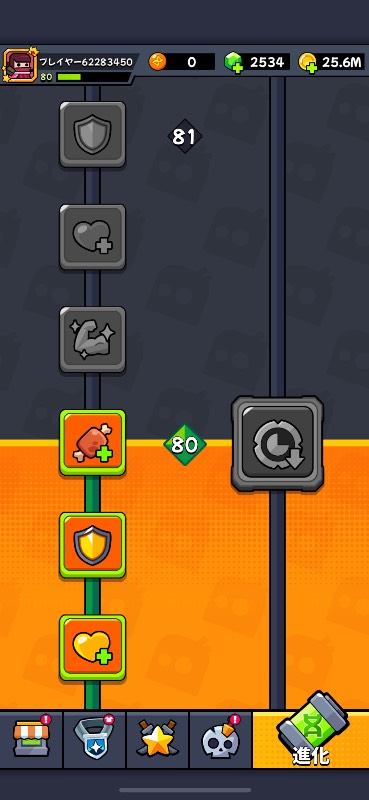
4. Screenshots of the main character and equipment interface of the account. Both accounts are required.
5. Open your game settings page - check the game's ID, then take a photo in the same background Send phone pictures from two different devices - let's check the game ID to help you further.
Please note that we do not support this service for Huawei devices or simulator on PC
[Please do not send the compressed file, we cannot open it], thank you for your support and understanding.
If the information is complete, we will process it within 2-3 business days, during which you can continue to play the game. If the information provided is not complete, please note that your transfer cannot be processed as soon as possible.
This request is mainly for transfering save data cross platform of iOS and Android.
Please do take note that the save data can only exist on either one of the OS (iOS or Android), and you will not able to play on both Android and iOS at the same time.
For the security of your save data do kindly understand that this operation will be only a 1 time exception.
In order to transfer the account to a different OS, we will need your cooperation to verify that you are the owner of the account.
Therefore please provide the following information in order to raise a request for save data transfer:
1. Please inform us both the old game ID and new game ID.
2. If you have made any in game purchase, please submit the latest few receipts you have received from Googleplay Store/Appstore.
*Do note that when you are taking a screenshot of the receipts, the purchased item name, the order number and date of purchase should be clearly stated.
3. Level of previous account, chapters completed.
4. Screenshots of the main character and equipment interface of the account. Both accounts are required.
5. Open your game settings page - check the game's ID, then take a photo in the same background Send phone pictures from two different devices - let's check the game ID to help you further.
Please note that we do not support this service for Huawei devices or simulator on PC
[Please do not send the compressed file, we cannot open it], thank you for your support and understanding.
If the information is complete, we will process it within 2-3 business days, during which you can continue to play the game. If the information provided is not complete, please note that your transfer cannot be processed as soon as possible.





購入していただけるのは大歓迎でございます。
アカウントの譲渡の仕方が、私が調べた所Apple IDでのお取引きか運営へのお問い合わせでの譲渡とありまして、後者の運営へのお問い合わせでの譲渡をお願いしたいです!
ではどうすればよろしいでしょうか?
Please do take note that the save data can only exist on either one of the OS (iOS or Android), and you will not able to play on both Android and iOS at the same time.
For the security of your save data do kindly understand that this operation will be only a 1 time exception.
In order to transfer the account to a different OS, we will need your cooperation to verify that you are the owner of the account.
Therefore please provide the following information in order to raise a request for save data transfer:
1. Please inform us both the old game ID and new game ID.
2. If you have made any in game purchase, please submit the latest few receipts you have received from Googleplay Store/Appstore.
*Do note that when you are taking a screenshot of the receipts, the purchased item name, the order number and date of purchase should be clearly stated.
3. Level of previous account, chapters completed.
4. Screenshots of the main character and equipment interface of the account. Both accounts are required.
5. Open your game settings page - check the game's ID, then take a photo in the same background Send phone pictures from two different devices - let's check the game ID to help you further.
Please note that we do not support this service for Huawei devices or simulator on PC
[Please do not send the compressed file, we cannot open it], thank you for your support and understanding.
If the information is complete, we will process it within 2-3 business days, during which you can continue to play the game. If the information provided is not complete, please note that your transfer cannot be processed as soon as possible.
Please do take note that the save data can only exist on either one of the OS (iOS or Android), and you will not able to play on both Android and iOS at the same time.
For the security of your save data do kindly understand that this operation will be only a 1 time exception.
In order to transfer the account to a different OS, we will need your cooperation to verify that you are the owner of the account.
Therefore please provide the following information in order to raise a request for save data transfer:
1. Please inform us both the old game ID and new game ID.
2. If you have made any in game purchase, please submit the latest few receipts you have received from Googleplay Store/Appstore.
*Do note that when you are taking a screenshot of the receipts, the purchased item name, the order number and date of purchase should be clearly stated.
3. Level of previous account, chapters completed.
4. Screenshots of the main character and equipment interface of the account. Both accounts are required.
5. Open your game settings page - check the game's ID, then take a photo in the same background Send phone pictures from two different devices - let's check the game ID to help you further.
Please note that we do not support this service for Huawei devices or simulator on PC
[Please do not send the compressed file, we cannot open it], thank you for your support and understanding.
If the information is complete, we will process it within 2-3 business days, during which you can continue to play the game. If the information provided is not complete, please note that your transfer cannot be processed as soon as possible.
返信は2日くらい待てばきますかね?
なお、セーブデータはiOSとAndroidのどちらか一方のOSにのみ存在し、AndroidとiOSの両方で同時にプレイすることはできません。
セーブデータ保護のため、この操作は1回限りの例外とさせていただきます。
異なるOSにアカウントを移行するには、アカウントの所有者であることを確認するために、お客様のご協力が必要となります。
そのため、セーブデータの移行を希望される場合は、以下の情報をお知らせください:
1.1.旧ゲームIDと新ゲームIDの両方をお知らせください。
2.2.ゲーム内で購入した場合、Googleplay Store/AppStoreから受け取った最新のレシート数枚をご提出ください。
*レシートのスクリーンショットを撮影する際は、購入した商品名、注文番号、購入日を明記してください。
3.以前のアカウントのレベル、完了したチャプター。
4.そのアカウントの主人公と装備品のインターフェースのスクリーンショット。両方のアカウントが必要です。
5.ゲームの設定ページを開く - ゲームのIDを確認し、同じ背景で写真を撮る 2つの異なるデバイスから電話の写真を送信 - さらにあなたを助けるためにゲームのIDを確認してみましょう。
HuaweiのデバイスやPC上のシミュレータではサポートされていませんのでご注意ください。
[圧縮ファイルを送信しないでください、我々はそれを開くことができません]、あなたのサポートと理解に感謝します。
情報が完全な場合、我々は2-3営業日以内に処理し、その間、あなたはゲームを続行することができます。ご記入内容に不備がある場合、早急なお振込み処理ができませんのでご注意ください。